TABLE OF CONTENTS
- Introduction
- To manage your global notification settings
- Discussion Notifications
- Things to consider about Notifications
Introduction
Notifications are the way for you to get alerted when a variety of actions occur in Canvas.
Important things to know about Notifications are:
- User determines the frequency: Notifications are received: right away, daily summary, weekly summary, or not at all
- User determines where the Notification is received: Email address, SMS message, and/or Push notifications
- You can change your default settings by setting your own notification settings. These settings only apply you.
To manage your global notification settings
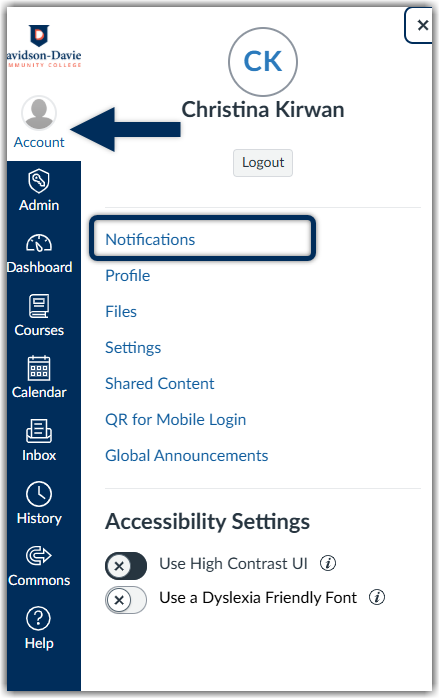
- In the Global Navigation menu, click on the account link, then click the Notifications link
- You can decide if you want to manage notifications for all of your courses or individual sections. A list of course activities will appear and your notification preferences.
- Click on the icon for each course activity to edit or set your notification preference type, if at all. A drop-down menu will appear for you to select to receive immediate email notifications, daily emailed summaries, weekly emailed summaries, or notifications off for that specific course activity.
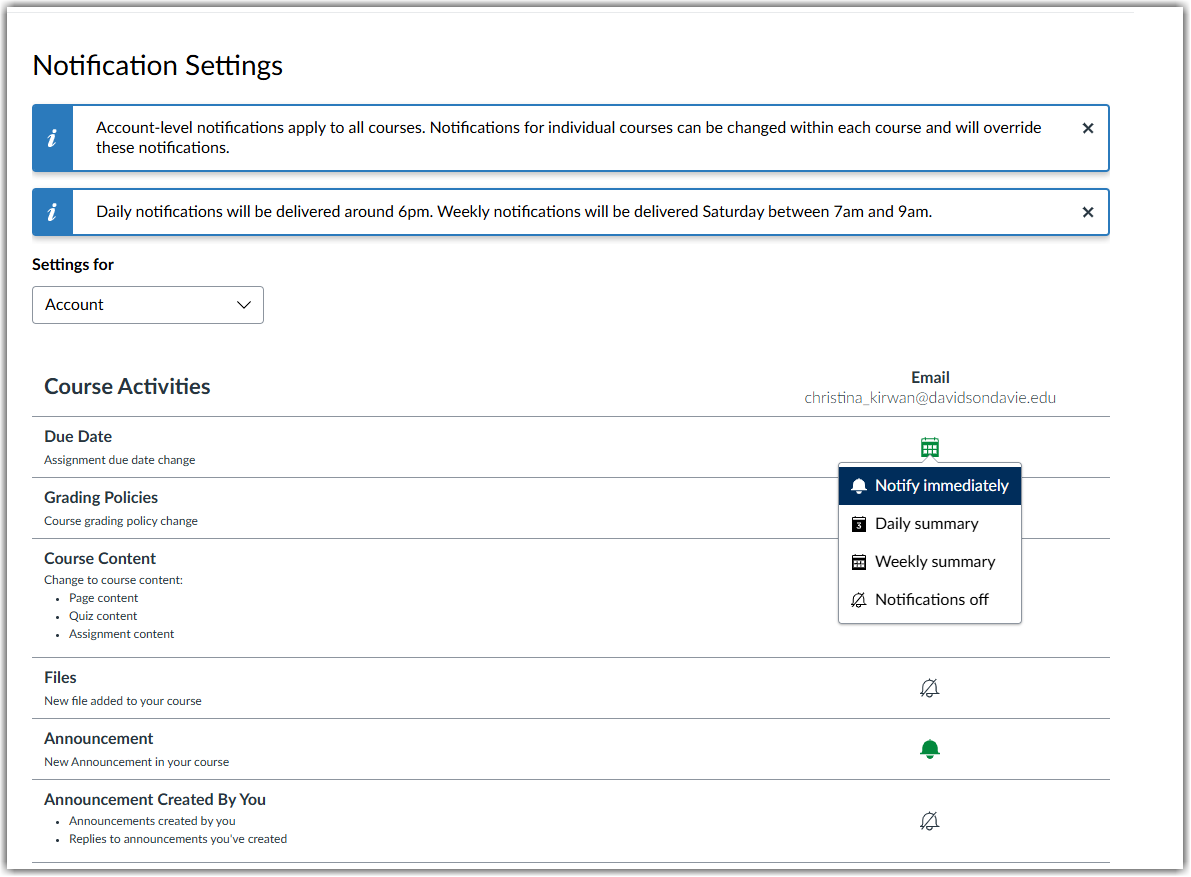
Changes are saved automatically.
Discussion Notifications
If you use Canvas discussions in your course, you can manage your discussion reply notifications settings.
From your Discussions Index Page or from the discussion page directly:
- Locate the discussion you want to subscribe/unsubscribe from to click on the Subscribe icon
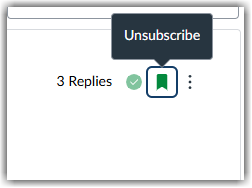
Subscribed icon fills in when you are subscribed.
Note: make sure you have also managed your global notification settings from the previous section to ensure you do or not receive notifications for new replies, and how often.
Things to consider about Notifications
Can be customized at any time. User is in control of his/her own Notification experience
Instructors can reinforce student use of Notifications by strongly suggesting critical Notifications for the course being delivered. If you're interested, here is Canvas' guide to Default Settings for Notifications
Was this article helpful?
That’s Great!
Thank you for your feedback
Sorry! We couldn't be helpful
Thank you for your feedback
Feedback sent
We appreciate your effort and will try to fix the article