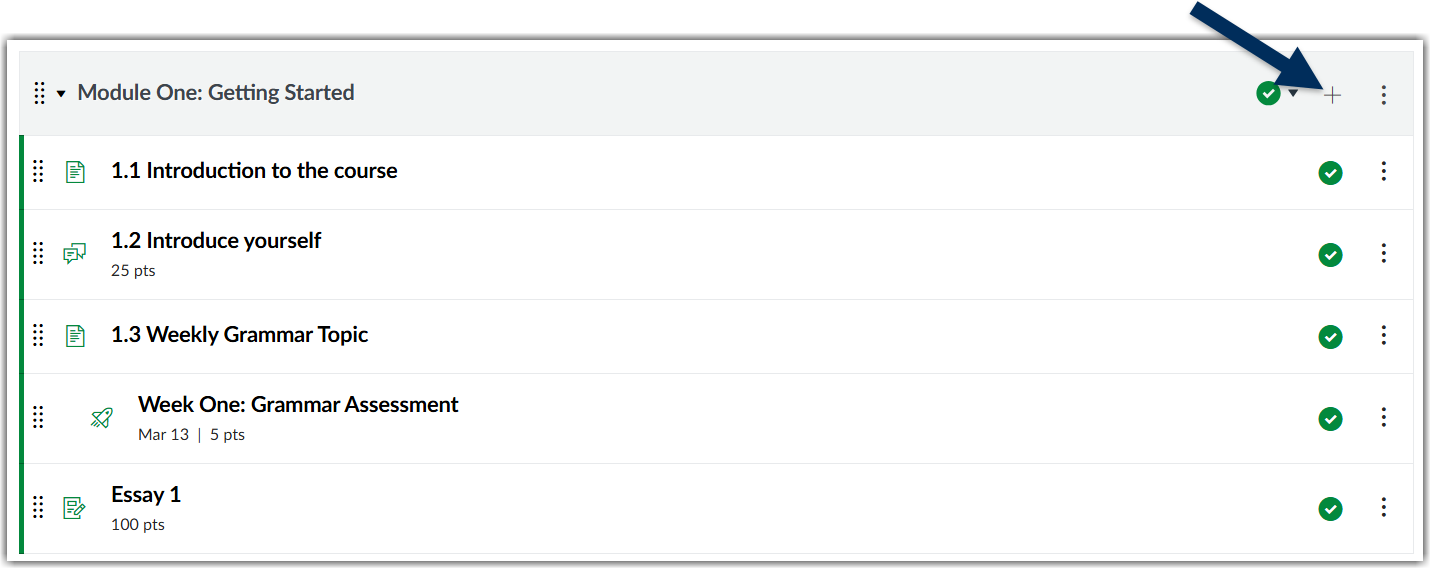
If you are using a third party software that you want students to access from your course, you will add it as an "External Tool". To do that in Canvas, click the plus (+) button on the module where you would like to add the tool.
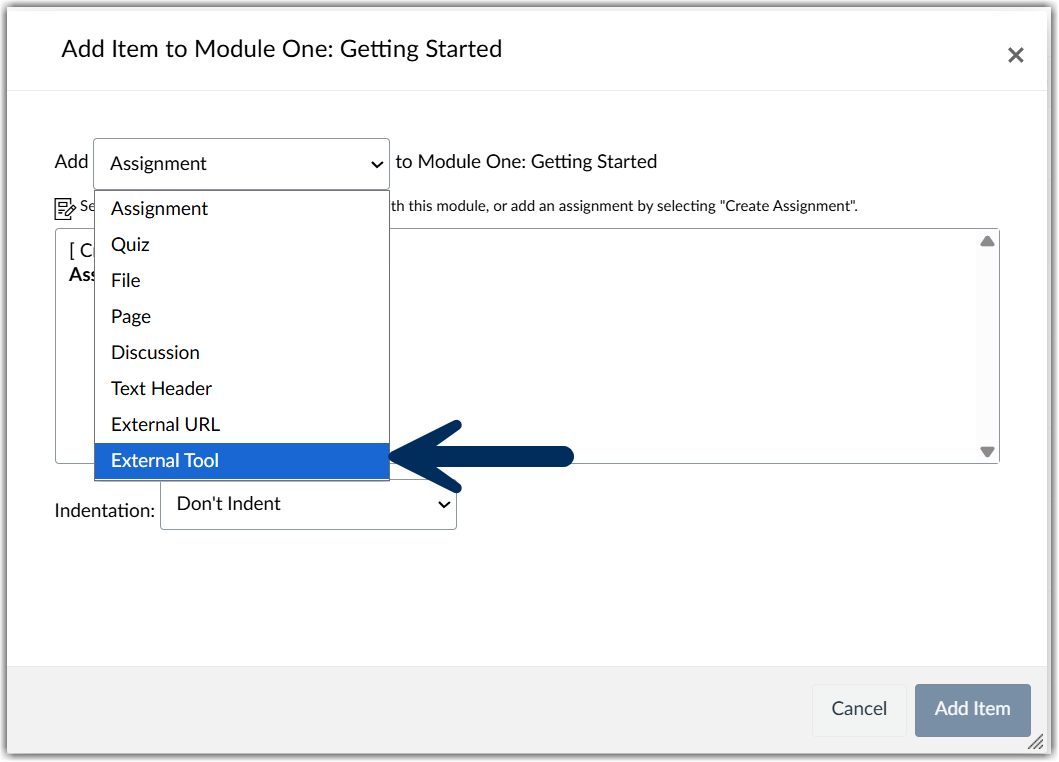
From the drop-down menu, choose "External Tool".
Scroll to the tool you would like to use.
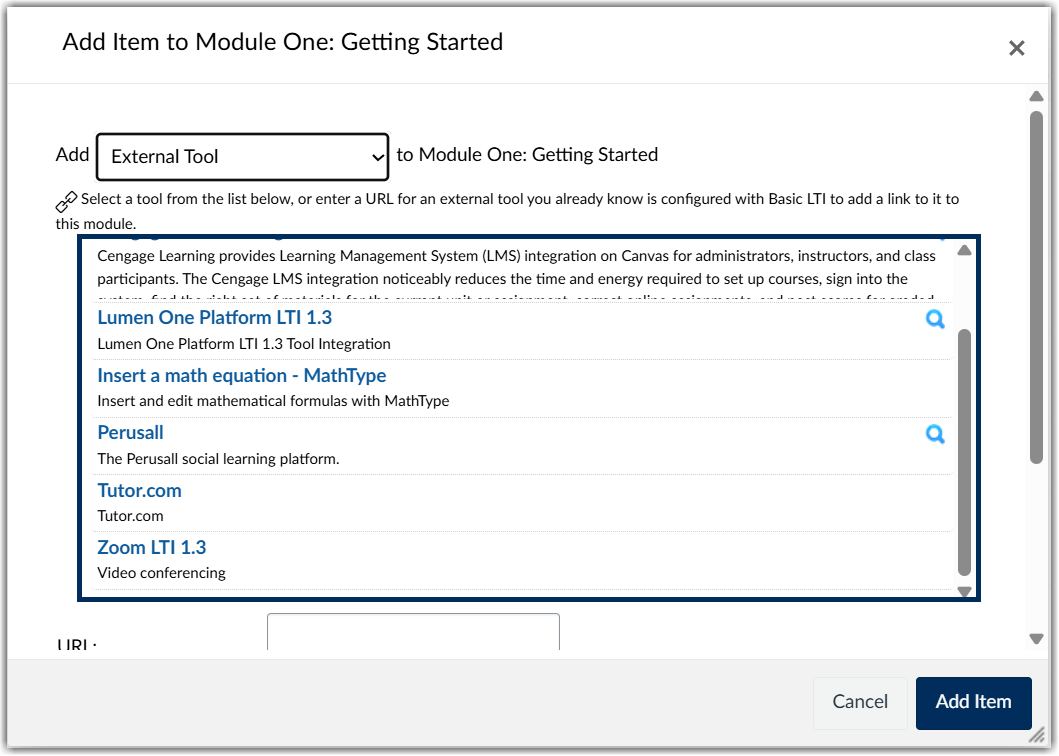
Depending on the tool, you may be prompted to add information or sign in to your account with that tool at this time. Sign in as required and then make sure to click "Add Item". Return to your Modules Index and you should see a link added to your module.
Was this article helpful?
That’s Great!
Thank you for your feedback
Sorry! We couldn't be helpful
Thank you for your feedback
Feedback sent
We appreciate your effort and will try to fix the article