When sharing a link to your video or linking a YuJa video to a webpage such as an intranet page or Google site, do not copy the URL of the video and use that as your link. It won't work correctly. Instead, follow the instructions below to get a link that you can use to share your video.
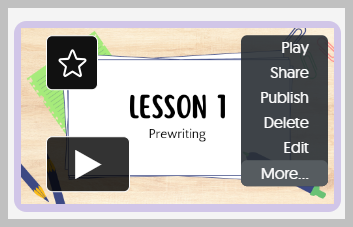
- Hover over your video and click on the option for "More"
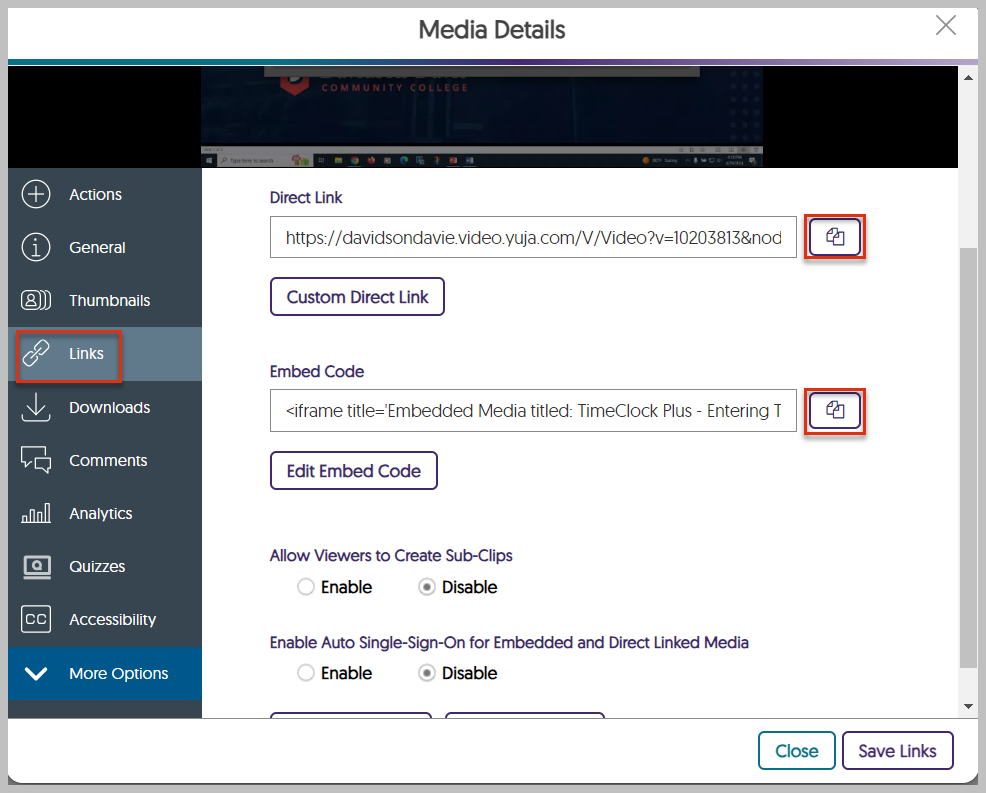
- A new box will appear. Choose the option for "Links" and then copy the link or embed code. These are the links you should use to insert a link or embed the video into a webpage or to share your video through email or message.
Was this article helpful?
That’s Great!
Thank you for your feedback
Sorry! We couldn't be helpful
Thank you for your feedback
Feedback sent
We appreciate your effort and will try to fix the article