If your instructor has graded your assignment and left feedback to help you improve, you can view that feedback from your Grades page by following these instructions:
- Go to the "Grades" page
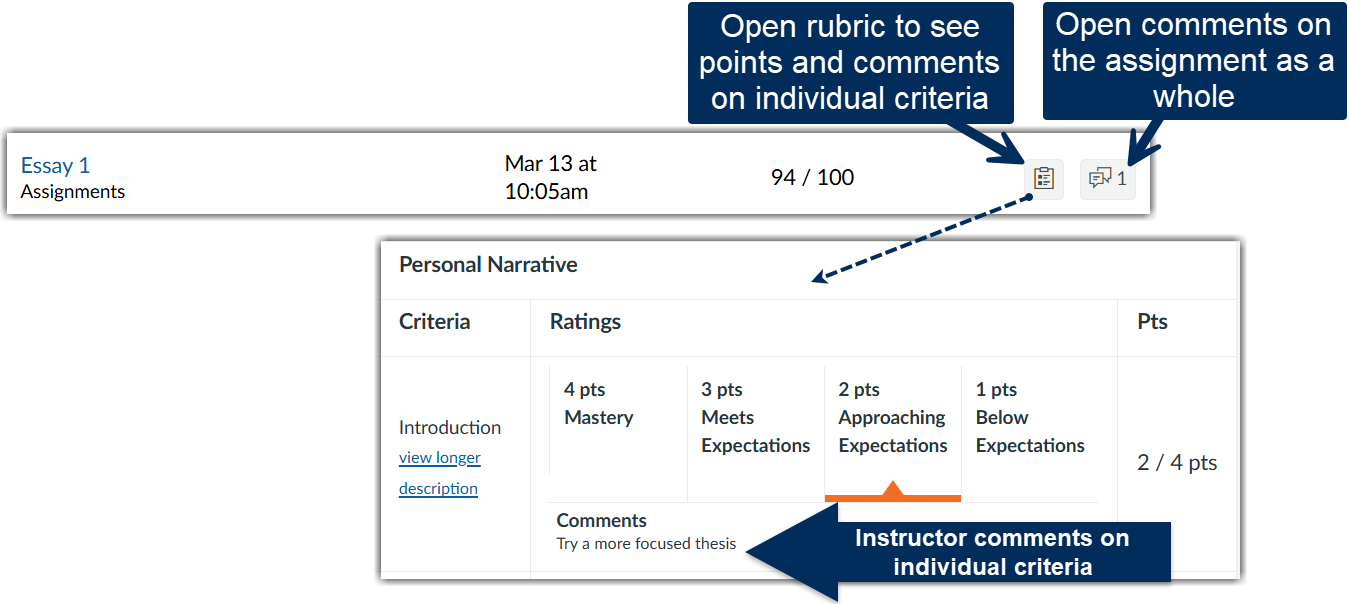
- Click on the feedback icons
- If your instructor used a rubric, the icon that looks like a clipboard opens the rubric so you can see the points you earned for each criteria and comments that the instructor left on individual criteria.
- The icon that looks like two word bubbles opens a side panel where you can read comments that apply to the assignment as a whole.
Was this article helpful?
That’s Great!
Thank you for your feedback
Sorry! We couldn't be helpful
Thank you for your feedback
Feedback sent
We appreciate your effort and will try to fix the article