
Signed up for classes and feel unfamiliar with how to use Canvas? The Student Introduction to Canvas is a great resource to help show the ropes of all things Canvas. It is a self-enrolled course that lets you practice using Canvas at your own pace. It does not affect your GPA and has no due dates. Simply select the link below for an automatic enroll:
Enroll in the Student Introduction to Canvas 2026-2027
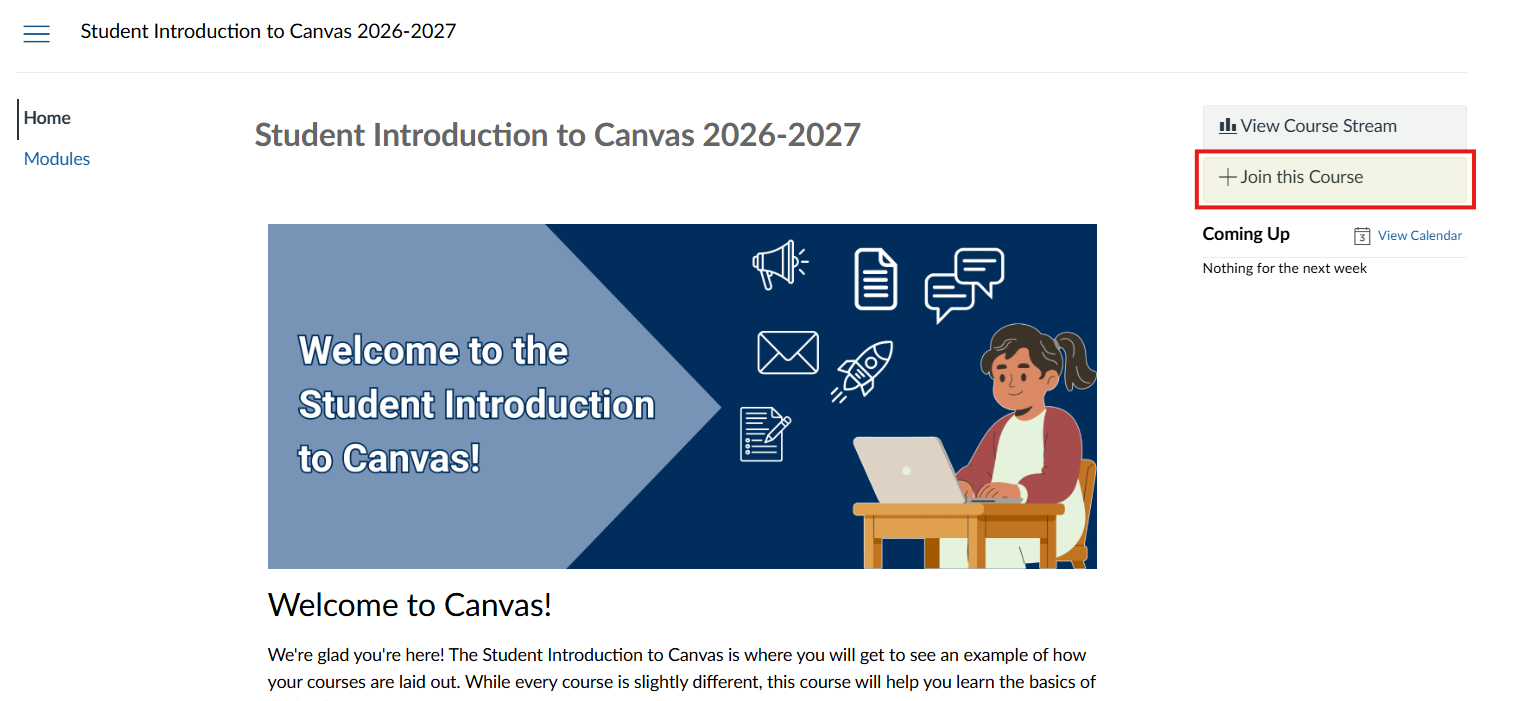
Have you accessed the course, but some things appear to be missing such as the “Grades” tab on the course navigation bar and practice assignments? You may have accessed the course, but not enrolled yet. Another sign that you are not enrolled is if the course is not showing in your “Dashboard” or “My Courses” tabs. Make sure to select the “Join this Course” button at the top right of the page so you are able to have all access and be able to save your progress.
View the image below as reference for the “Join this Course” button.
Tips:
The “Join this Course” button will not appear if you are already enrolled.
Some instructors require that you complete this course. You are only able to show you have completed the course if you have enrolled in it.