Introduction
To complete census rosters in StormTrac for online and hybrid courses, you'll need to know the exact date that each student submitted the Course Entry Quiz in Canvas. While there are several ways to find these dates, only the quickest method is shown here.
Grades Tab Method
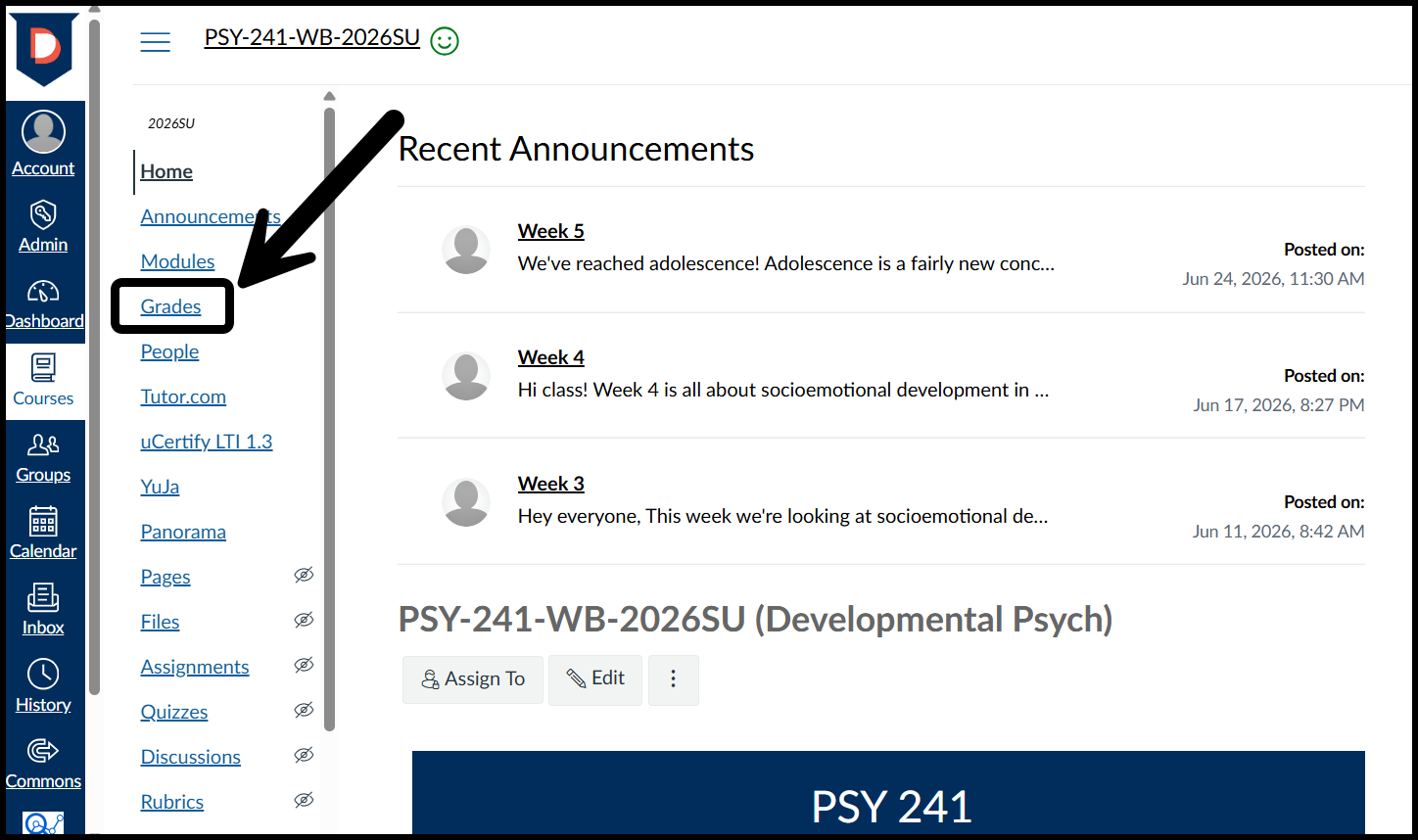
- In Canvas, choose your course from the Courses or Dashboard global navigation menu.
- Select Grades from the menu to view the gradebook.
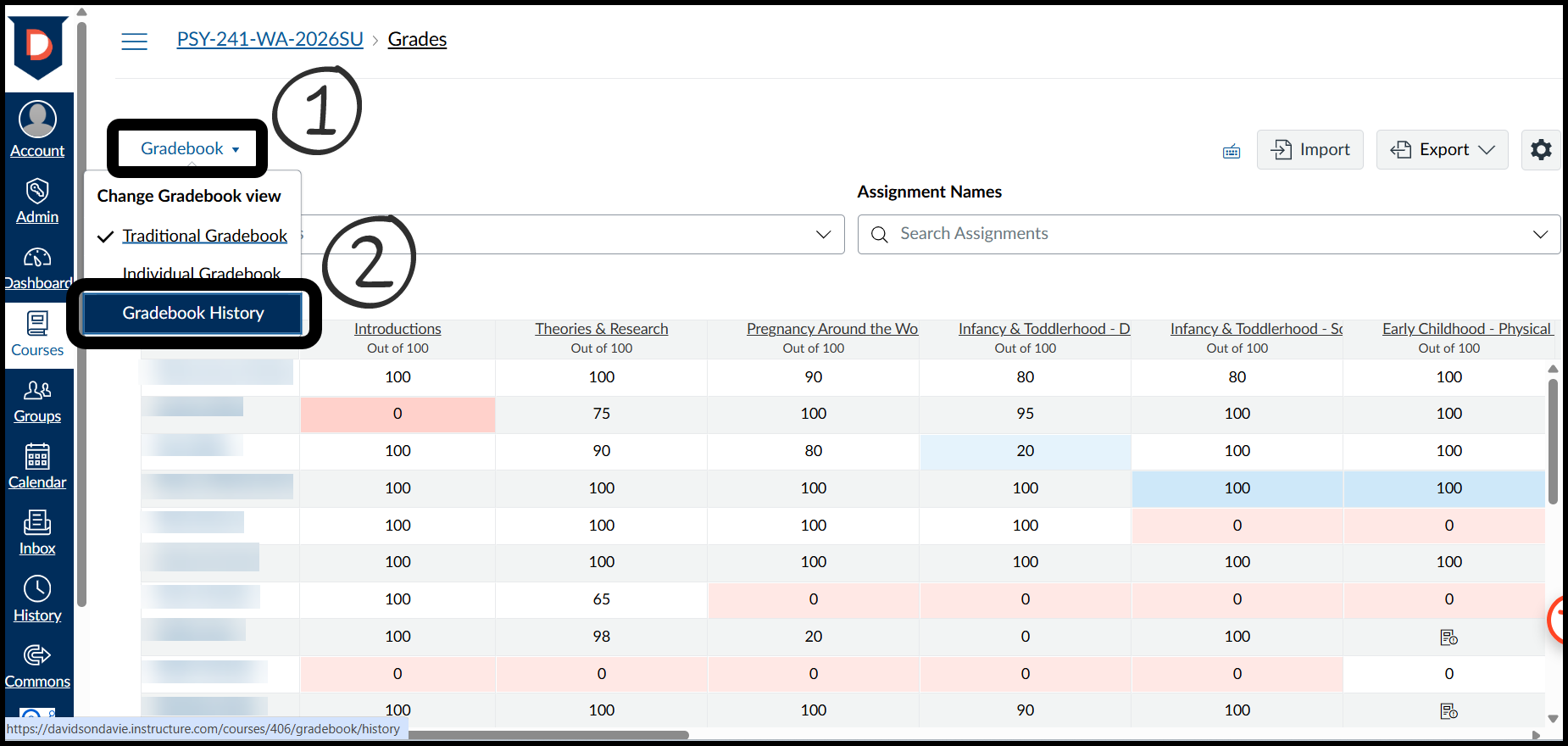
Click on the Gradebook dropdown menu and select Gradebook History.
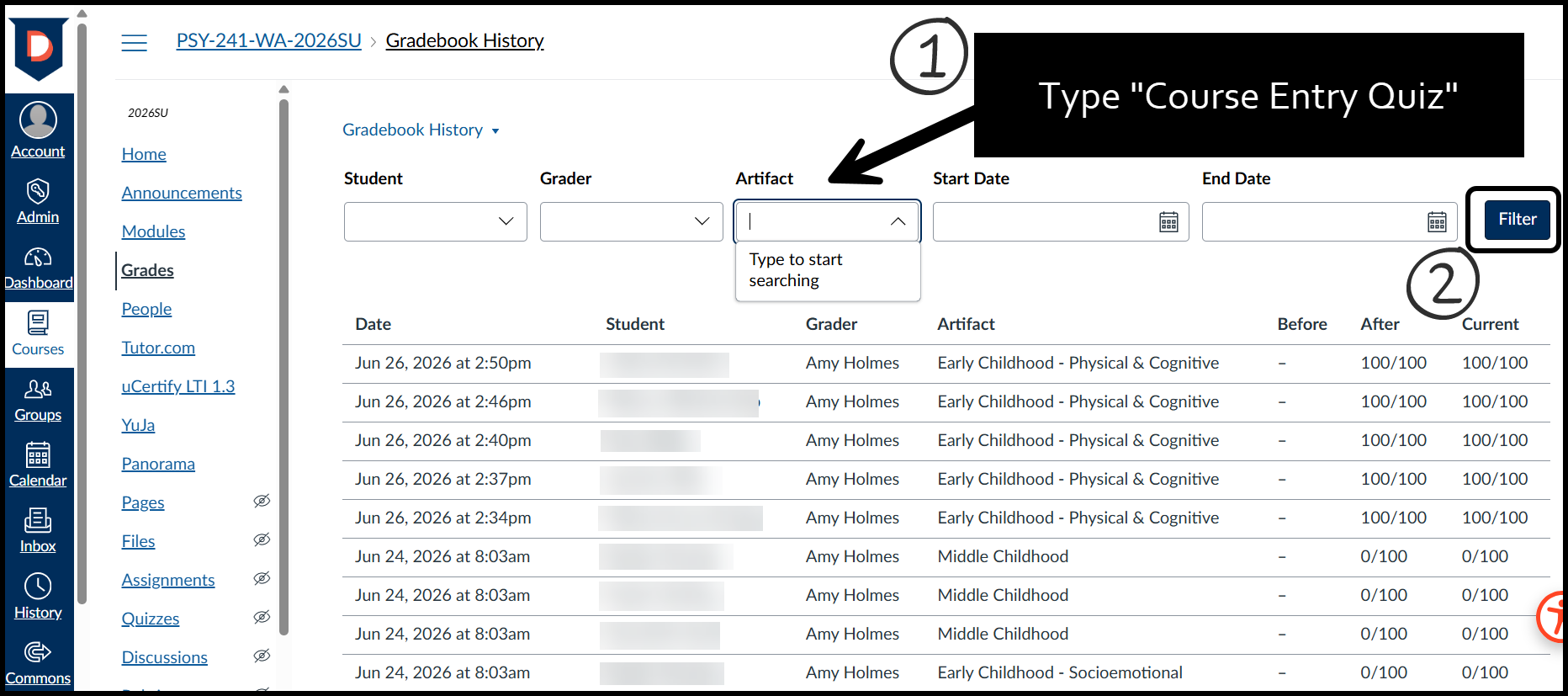
- In the Gradebook History view, click on the Artifact text box and type in "Course Entry Quiz." Then click the blue Filter button.
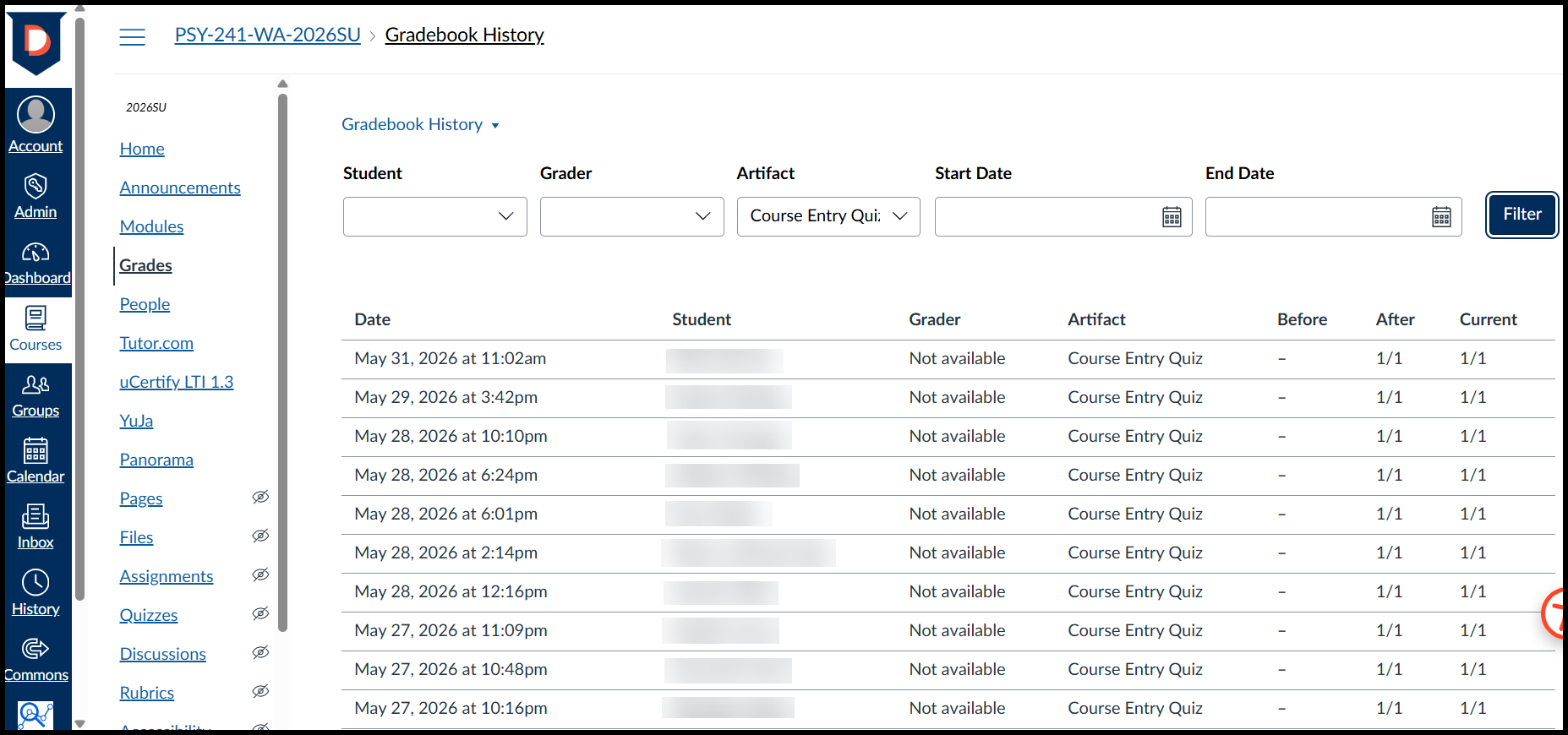
- Now you should see the dates of the Course Entry Quiz submission, along with the students' names. Use this page to complete your census roster in StormTrac.
Was this article helpful?
That’s Great!
Thank you for your feedback
Sorry! We couldn't be helpful
Thank you for your feedback
Feedback sent
We appreciate your effort and will try to fix the article