Introduction
To complete census rosters in StormTrac, you'll need to mark attendance for the day after the census date. This is simple for face-to-face and virtual courses. For online and hybrid courses, you can look at Canvas reports to determine attendance. "Attendance" can be defined as logging in to Canvas or submitting an assignment. It is up to the instructor since marking absent or present does not affect the funding that Davidson-Davie receives. There are several ways to find these dates, as listed below.
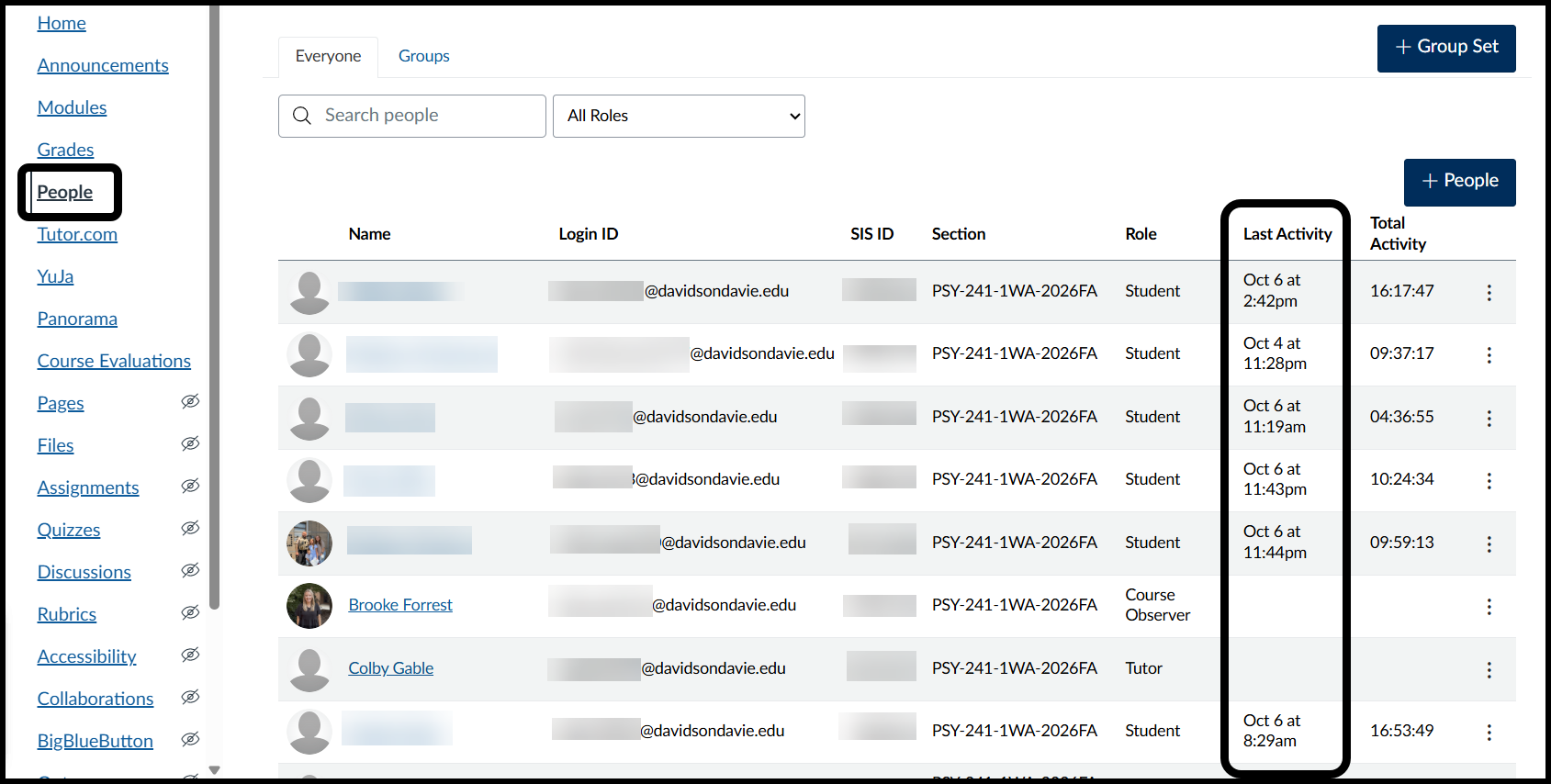
People Tab
Navigate to the People tab and use the Last Activity column to mark attendance on the day after census.
Course Analytics
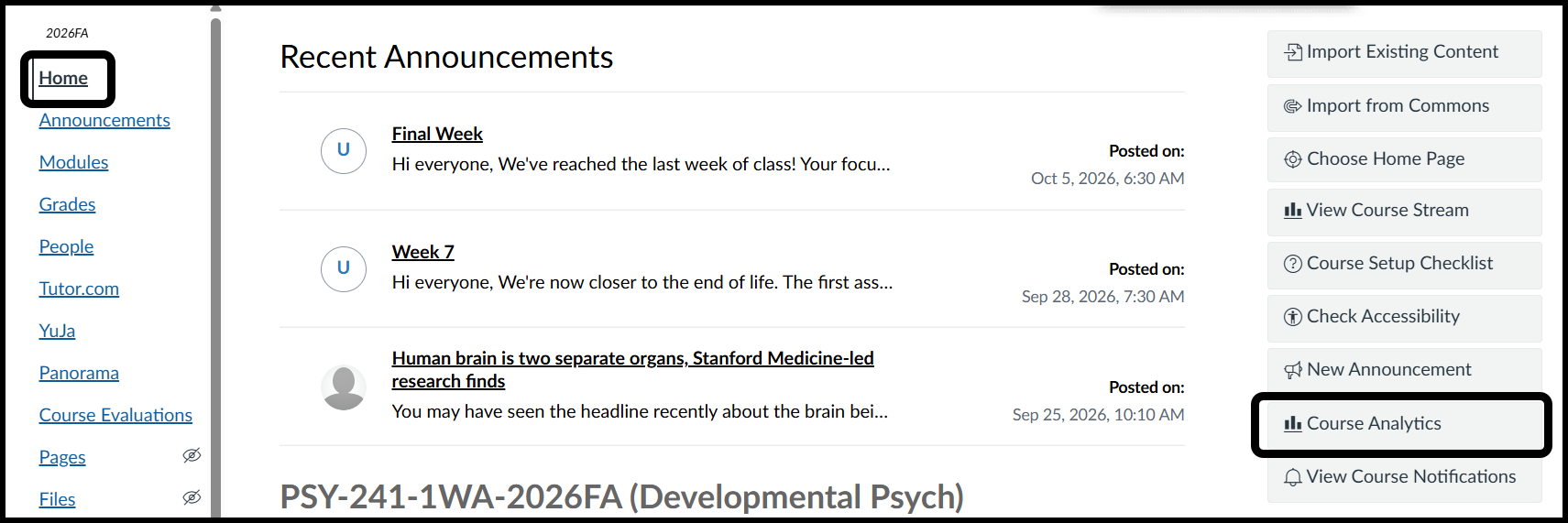
- Navigate to the Home tab and click on Course Analytics
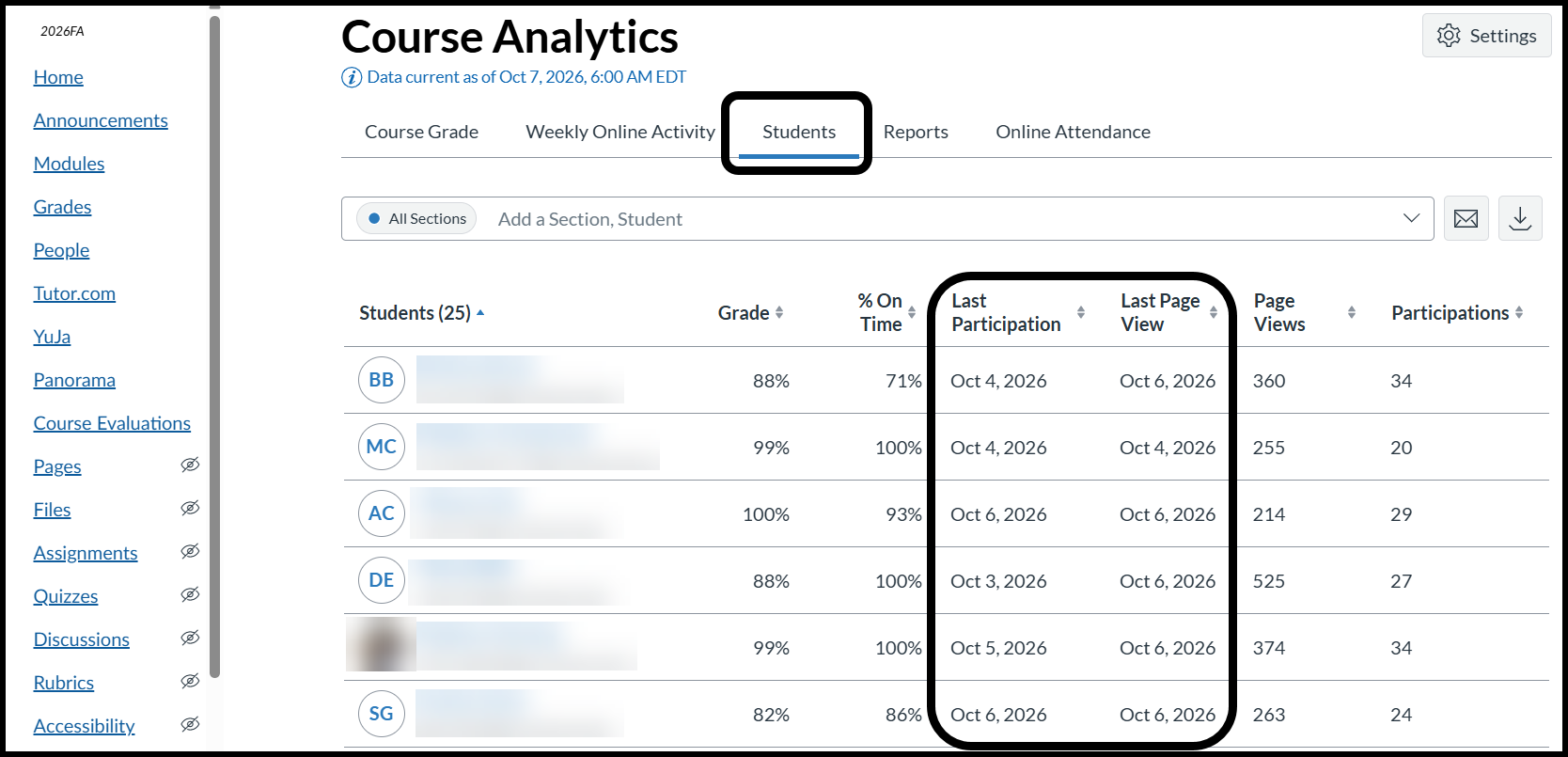
- Option 1: Students Tab
- Click on Students
- Choose to use Last Participation or Last Page View.
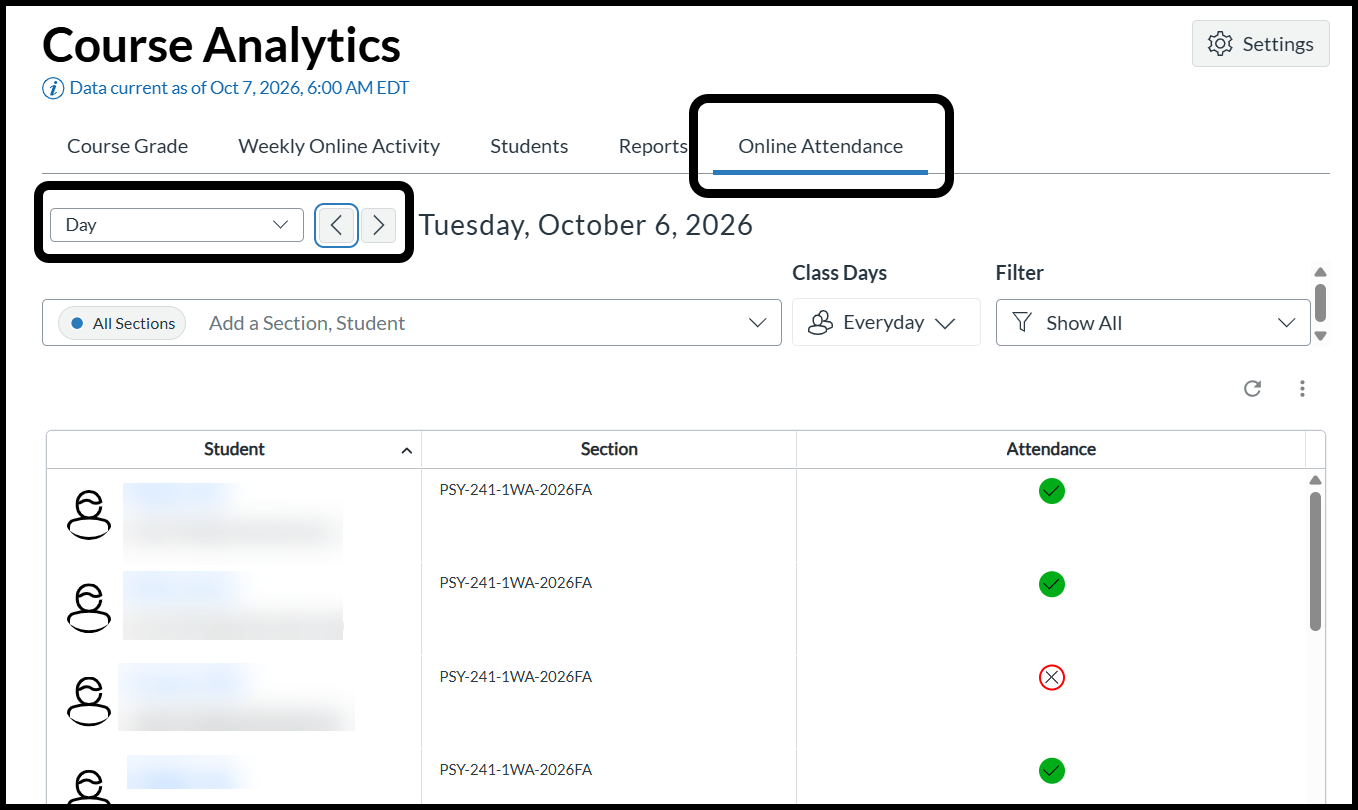
- Option 2: Online Attendance Tab
- Click on Online Attendance.
- Click on the drop down bar to change from Week to Day.
- Choose the day after the census day.
- Attendance is listed as a green circle with black check mark or red outlined circle with a black X.
Was this article helpful?
That’s Great!
Thank you for your feedback
Sorry! We couldn't be helpful
Thank you for your feedback
Feedback sent
We appreciate your effort and will try to fix the article