Having trouble finding something in your course? Is Canvas acting a little strange? It may be that you need to clear your cache and cookies. Take a look at the guide below to delete these.
Delete Your Cache and Cookies
Canvas is very sensitive to any cache and cookies that may be on your browser. This can cause it to malfunction and often hide classes, especially in the Dashboard. Follow the steps below to properly get rid of the cache and cookies:
- Log out of your Canvas account
- Clear you cache and cookies
- Log into your Canvas account
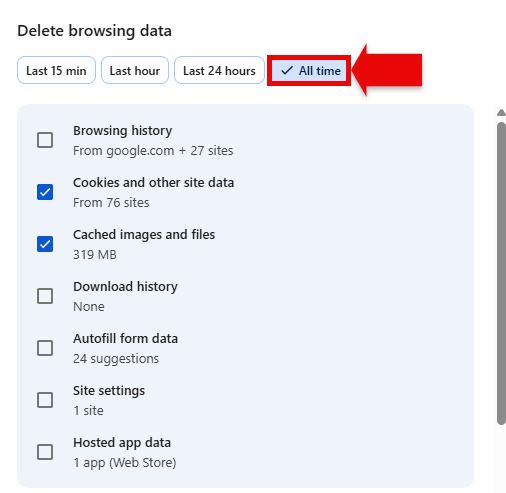
Tip: Make sure to select "All time" when deleting. Sometimes there are old cookies that will still mess with your Canvas account. See the screenshot below for where to find this: