
Overview
This tutorial will help you post your video quizzes to Canvas and help you grade any questions that aren’t self-grading. Most of the video quiz question types (multiple choice, true/false, select multiple, and fill in the blank) can be graded automatically, but short answer questions have to be checked by the instructor.
Post a Video Quiz in Canvas
To post a video quiz in Canvas, you’ll need to follow these instructions to connect the quiz to the Canvas gradebook.
- Create an assignment.
- Enter the assignment name and desired point value for the assignment.
- Configure assignment options as needed.
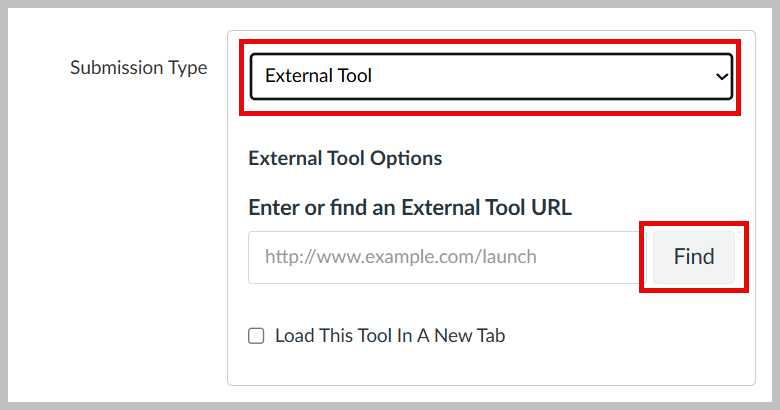
- Scroll down to "Submission Type". Use the drop-down menu to choose "External Tool".
- Click Find to bring up the list of External Tools.
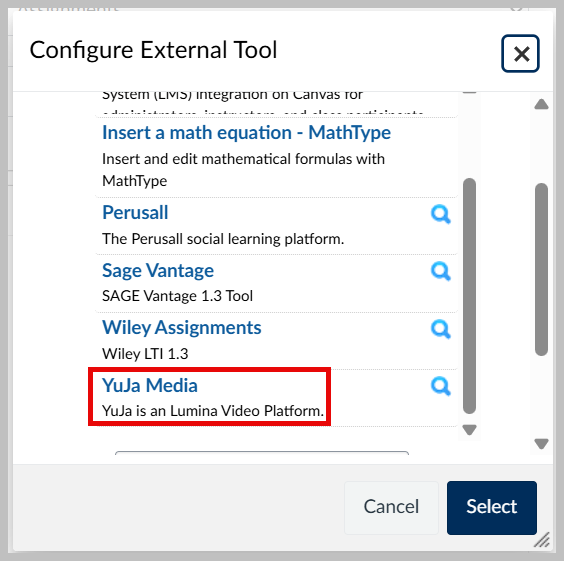
- Scroll down to "YuJa Media" and click on it.
- Open the list of quizzes by choosing "Quizzes" from the options at the top left.
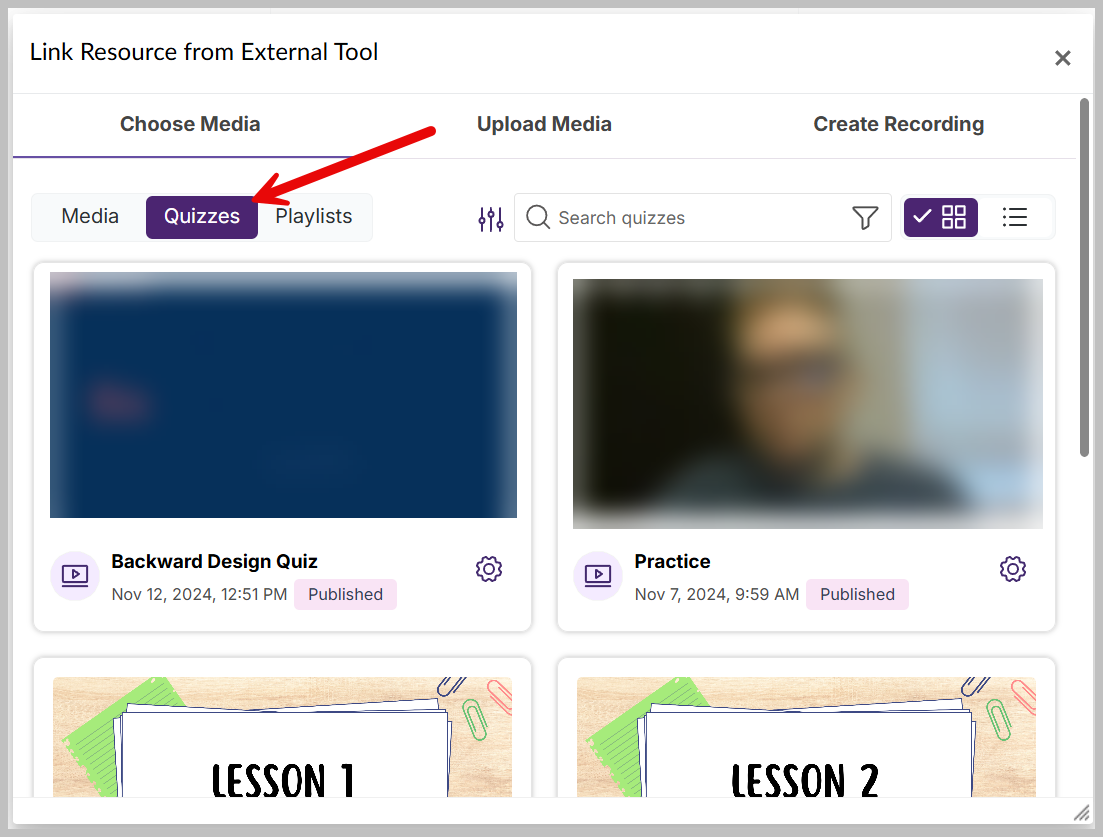
- Choose the video quiz you want to embed from the options by clicking on it.
- You will be returned to the list of External Tools and the URL of the video will be filled in. Click "Select" and finish setting up your assignment.